Configure Run:AI CLI Tool
Connect to bhn20 using SSH

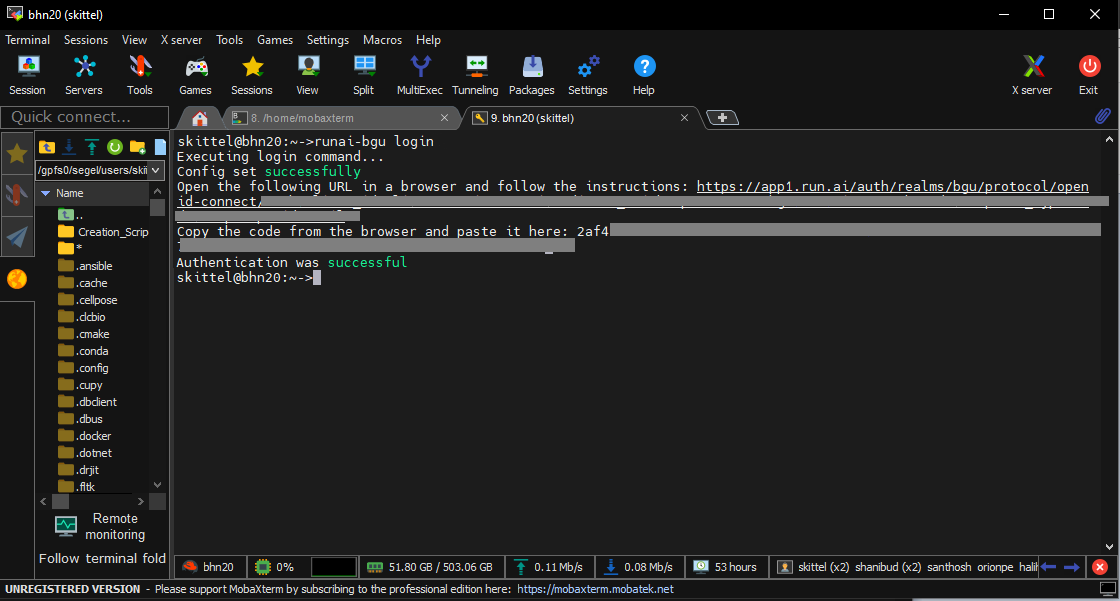
Inside bhn20 type the following command:
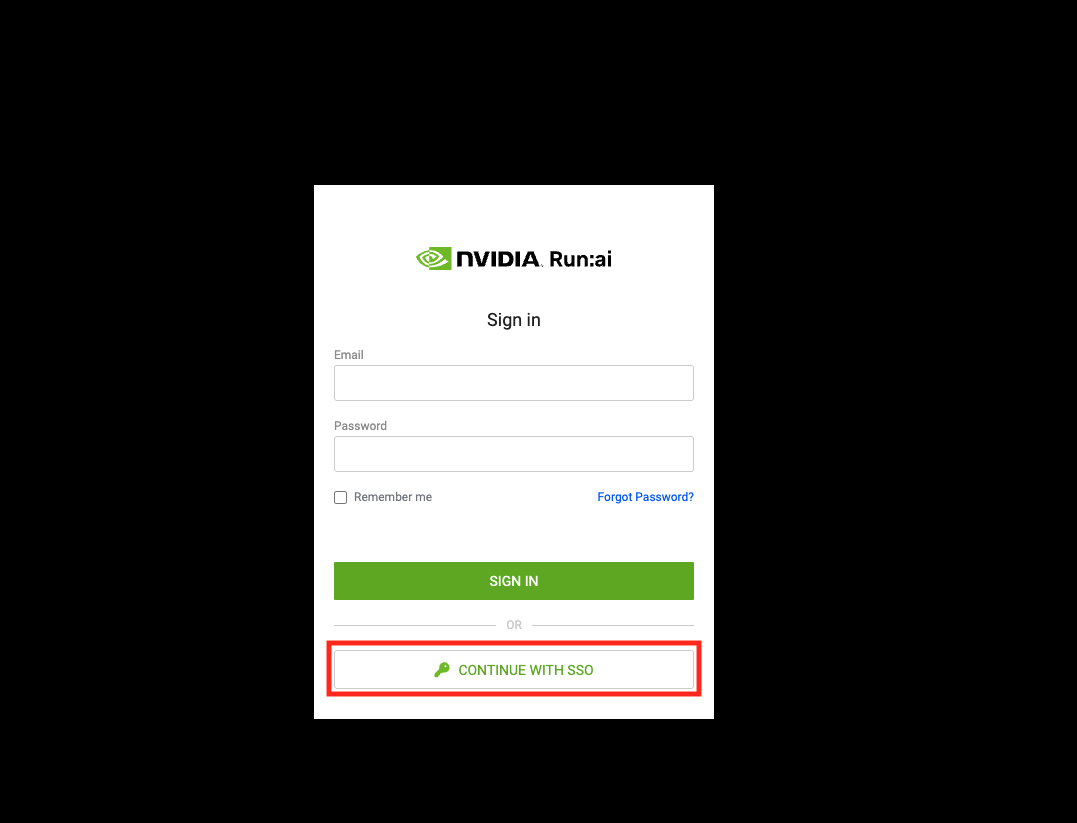
$ runai-bgu loginClick or copy the URL from the output of the previous command, and enter it in your browser, in the opened window, click [CONTINUE WITH SSO].
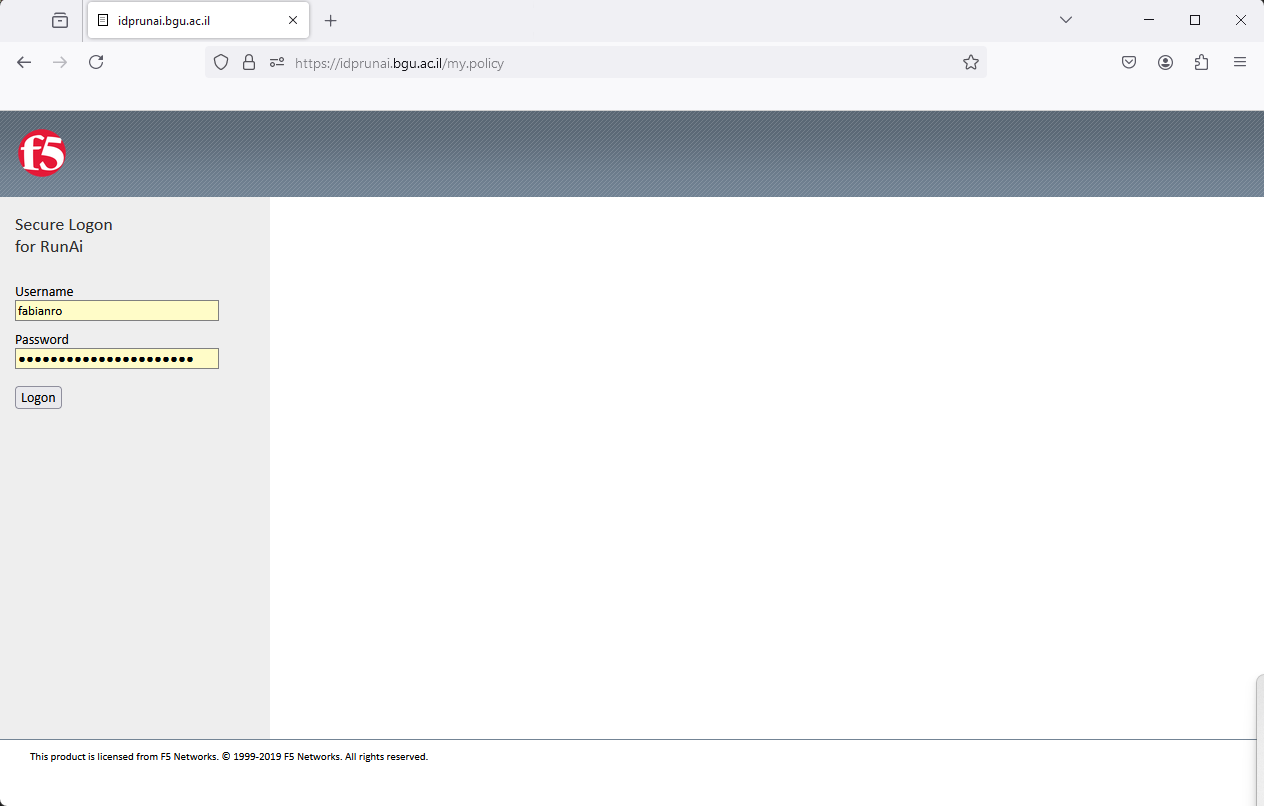
Login using your BGU account’s credntials (username and password)
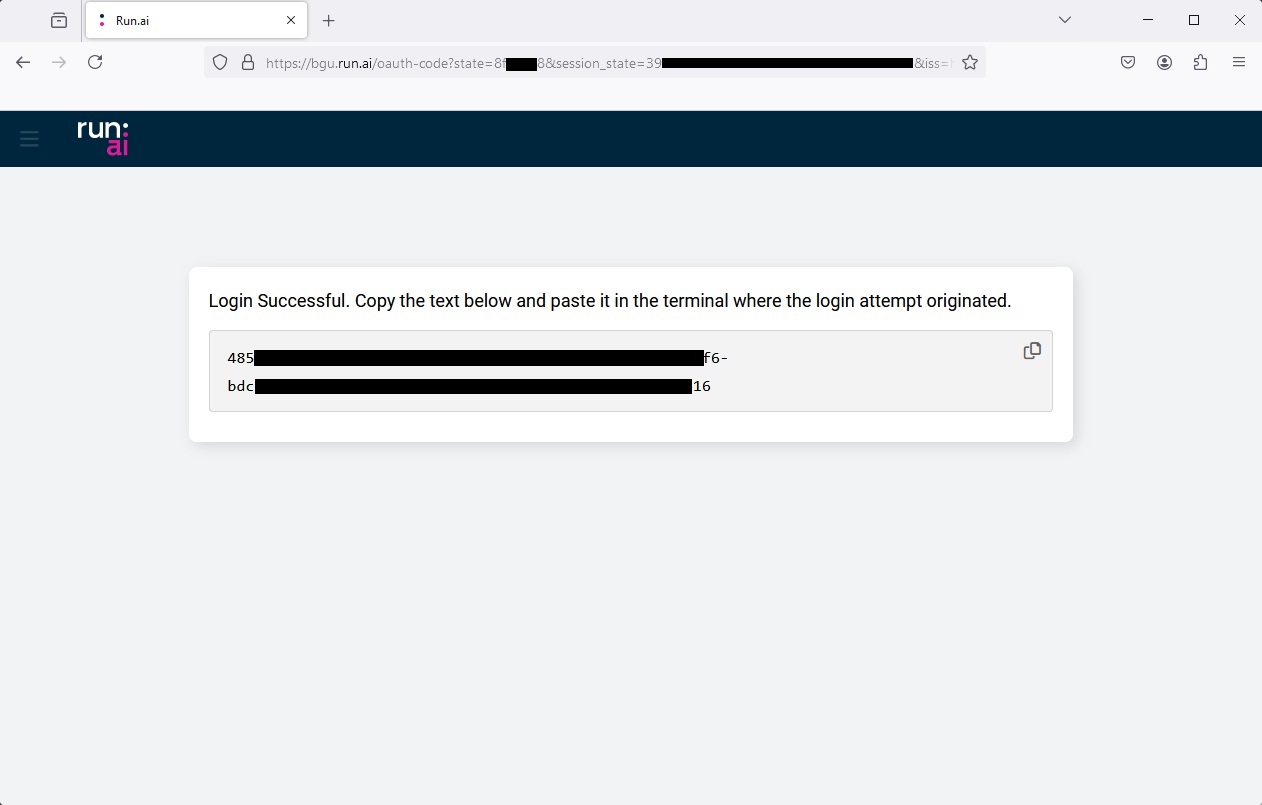
If everything was done right, you will be redirected to a page with a verification code in it. Copy this code.
Go back to your terminal, paste the code and press enter. If everything was done right you will get a "Logged in successfully" message.